Kindle kfx ebook support again, kindle pc v2.9.1 support.
eBook Converter Bundle
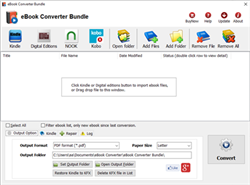
Support Kobo App, kepub format.
Read More …  Download for Windows
  Download for Mac
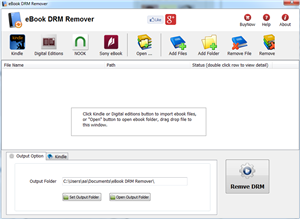
eBook DRM Removal Bundle
Read More … Download for Windows Download for Mac
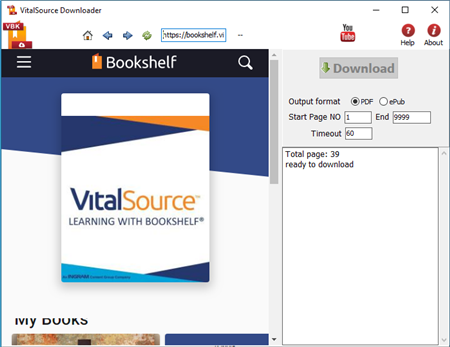
Vitalsource Downloader
Read More … Download for Windows Download for Mac
Remove DRM from Kindle ebook
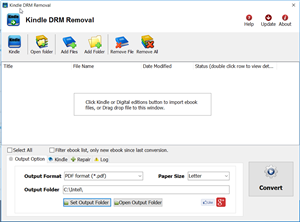
Kindle drm removal v2.5 release
— support drag drop file.
— support batch mode, remove all ebooks in folder with 1-click,
Read More … Download for Windows Download for Mac
Remove DRM from ePub ebooks
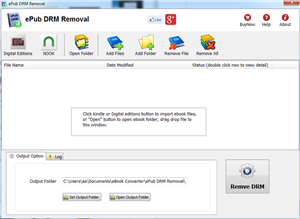
ePub DRM Removal quickly and easily remove DRM from Digital Editions epub ebook, convert to PDF file formats. user can view PDF ebook on other computer or device, user also can print Adobe Digital Editions ebook without limitation.
Support ebook provider
- OverDrive eBooks, Public library ebook.
- Purchased Kobo books, http://Kobobooks.com
- Purchased Google books.
- All other epub ebook opened in digital editions
How to sync ebook to Kobo ereader?
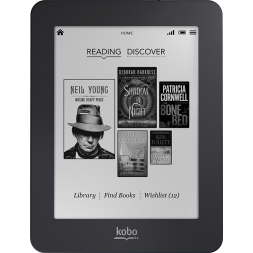
If you have purchased a book and can’t get it on the Kobo eReader, here are some troubleshooting steps to try.
In your Kobo eReader set to “Manage Library”.
- Plug your eReader into your computer using the USB cable.
- If your eReader is charged, you should see two options: “Manage Library” and “Keep Reading”. You must select “Manage Library” or the Kobo Desktop software will not see the eReader and will not sync your books.
- When you select “Manage Library”, the device should appear in the bottom right hand corner of the Kobo Desktop software with “Sync” and “Eject” buttons.
- Click “Sync” the device to transfer your books to the eReader.
Did you complete the purchase for the ebook?
Sign in to kobo.com > click “Library” > select “Purchased”. Do you see the book on the list of purchased titles? If not, you did not complete your purchase and the book has not been added to your library. If the book does appear in your Purchased list…
Is your new book in the “Books” area of your eReader rather than “I’m Reading”?
Books only show up in “I’m Reading” once you have started reading them. Until then, they can be found in the “Books” tab.
- On the eReader, click the “Menu” button and select “Books”.
- Using the Alphabet navigation, check to see if your book is there. (Note: You may need to check for “A Tale of Two Cities” under “A” and “The Quick and the Dead” under “T”.)
.Mobi drm remover
Most ebooks were sold protected with DRM, E-book market share leader Amazon has been criticized for using DRM for e-books they sell for the Kindle device, and it appears that Apple will employ the same tactics.
this is tutoral to remove drm from .mobi ebook.
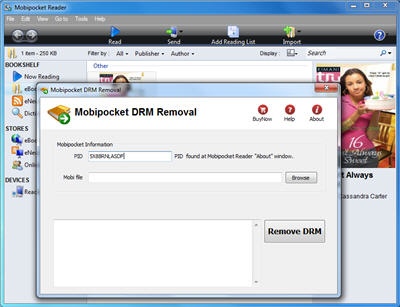
1 Downloading Mobipocket drm removal
What you need to do is to visit ebook-converter.com, download and install Mobipocket drm removal that is tools to remove drm from mobi ebook.
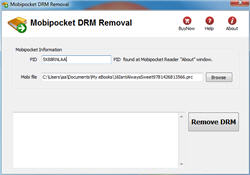
Run Mobipocket drm removal
select mobi file to decrypt, you navigate to the folder containing mobi ebook files, it should be in folder “C:\Users\your-name\Documents\My Kindle Content” folder, then you should input PID of Mobipocket reader, you find it at “About” Windows.
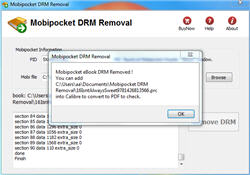
Remove drm
click “Remove” button, it will create a new mobi file that can convert to other format using Calibre, you read it anywhere.