How to read Kindle ebook on Sony reader?
 Updated : November 28th, 2012
It seem be more difficult to read Kindle ebook on other e-reader, because all ereader don’t support Kindle DRM protection, this is tutorial that how to read Kindle ebook on Sony reader.
Difficulty Level: Easy
What You Need:
- Kindle DRM Removal : application that download from ebook converter
- A Winndows PC
- Calibre that download here
- A Sony ebook reader device , or some sort of portable device that accepts ePub format
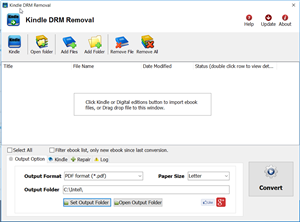
1). Install and run Kindle DRM Remova to remove drm protection from kindle books, it is easy to use, just click “remove” button, a new azw file will created without DRM.
2). Add new .azw file to Calibre, just drag azw file into Calibre, then convert azw format to epub format that support by moset e-reader device, include Sony e-reader. detail look How to convert Kindle AZW to EPUB/PDF/RTF/TXT format?
3) Once you got .epub file, upload to Sony e-reader, enjoy reading.
Sony Reader Touch
Touch Screen Makes Reading a Breeze. Thinner, smaller and lighter than most magazines, the Reader Touch Edition™ lets you access up to 350 (or more with memory expansion card slots) of your favorite books from anywhere. The intuitive 6″ touchscreen display makes navigation a breeze, letting you turn pages with the swipe of a finger. An included stylus offers freehand highlighting and annotation. With support for multiple file formats including PDF and MP3, you can enjoy books from more places, including the Reader™ Store and one million titles from the World eBook Library.
B&N Changes Nook DRM Key, and Solution to remove drm
B&N is using a new method for generating its encryption keys. I can’t yet tell you what the new method is (it looks to be random), but I can report that the actual DRM has not changed, just the method for generating the encryption key.
 B&N has blocked NOOKstudy to download ebook, but there is new way to fetch DRM key from B&N server, so we can remove NOOK DRM again.
user must download and install B&N app NOOK for PC, download ebook in NOOK for PC, run our converter and input B&N email / password, it fetch DRM key from B&N server, Remove ebook DRM protection.
All our converters support this new feature, include epub drm removal, NOOK drm removal, ebook drm removal bundle, epub converter, ebook converter bundle.

If you want to protect your ebooks from B&N’s future bungling by removing the DRM, you’ll need to download, install, and activate NookStudy. You have to use it to download Nook ebooks. After you’ve downloaded a Nook ebook, NookStudy will have a copy of the new encryption key.
Our NOOK DRM Removal has support NOOKStudy DRM key, it remove drm without inputing credit card no.
- NOOKStudy Download
- B&N Changes Nook DRM Key, and Solution to remove drm
- How to find correct info to remove NOOK ebook DRM?
- How to remove NOOK ebook DRM ?
- Read NOOK ebook in Kindle
- How to fix error message “Key error :Key cannot be the null string” ?
- Barnes Noble DRM Removal tutorial
Convert NOOK ebook to PDF
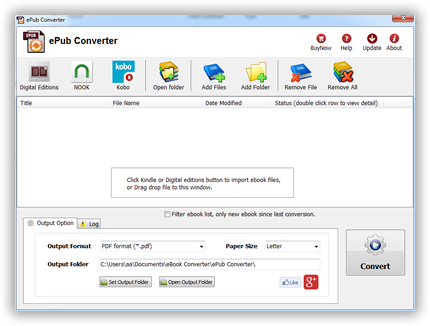
ePub Converter is powerful tools to convert DRM or noDRM ePub to PDF, Kindle, Word, Text and Html format file, it support both Adobe Digital Editions DRM and Barnes Noble NOOK DRM ebook,
 Download for Windows
 Download for Mac
NOOK DRM Removal
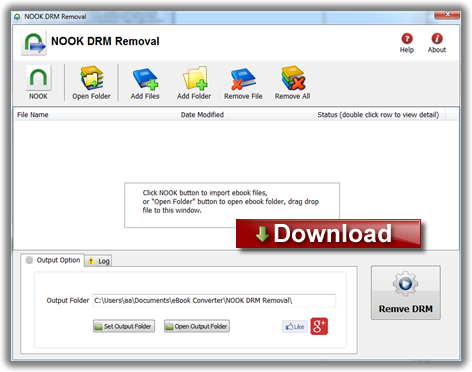
NOOK DRM Removal is powerful tools to remove NOOK ebook DRM, it support nookstudy ebook file, NOOK for Pc not support anymore.
You can find the key in one of NookStudy’s log files, and get this: NookStudy stores the key in plain text.
B&N may lock up the Nook ebooks you buy but they also literally hand you the key so you can extract the ebooks and strip the DRM.
I know that the concept of DRM is flawed due to the fact that the end user has to be able to decrypt the DRMed content, but this is the first time that I have ever encountered a company giving me the encryption key in plain text.
How to read Kobo ebook in iPad/iphone
Kobo eReader support Adobe DRM protection, Apple ibook has own private DRM scheme, so you can’t read Kobo epub book in iPad directly, because iPad doesn’t support Adobe DRM ebook, fortunately, you can remove DRM protection, read it freely iPad–and soon, the iPhone.
Difficulty Level: Easy
What You Need:
- A epub book with DRM that download using Digital editions, install at here
- A Winndows PC
- ePub DRM Removal : application that download from ebook converter
- iTunes, with the latest software update
- An iPad, or some sort of portable device that accepts ePub format
1). Install Adobe Digital editions, you can skip to next step if you have already installed.
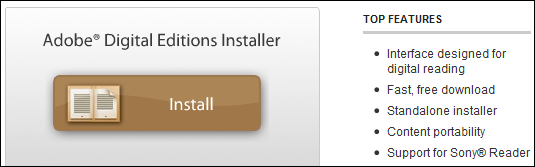
2). To get your epub ready to remove DRM protection, you must open DRM epub in Adobe Digital editions if you download DRM epub from 3rd program other than Digital Editions,like sony reader, click “Library” button in toolbar, select “Add item to library”, find DRM epub , for Sony ebook folder, “My documnet\My books\Reader Library”, select ebook to add.
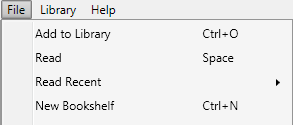
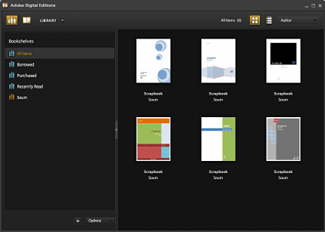
3) After add DRM epub in digital editions library, Run ePub DRM Removal, select input DRM epub books , set output epub file in different location.
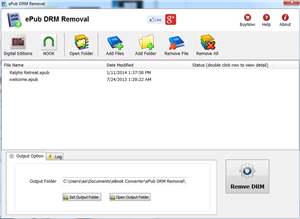
4) When you’re ready to removal DRM protection , click “Removal ePub DRM” button. After a few seconds, you’ll have an ePub book in output folder.
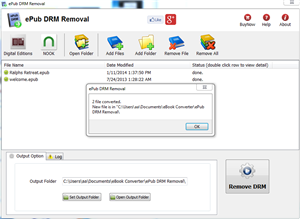
5) Once find decrypted ePub file in Windows Explorer , drag and drop the file into the iTunes icon in your dock. The book will automatically be imported into iTunes’ Book section.